Pulsar · for macOS
Know what to build this week.
Pulsar reads what builders ship and ask for on Hacker News, GitHub, npm and Reddit. Your own AI agent turns it into ranked ideas, each with a buyer, a price and a 7-day plan.

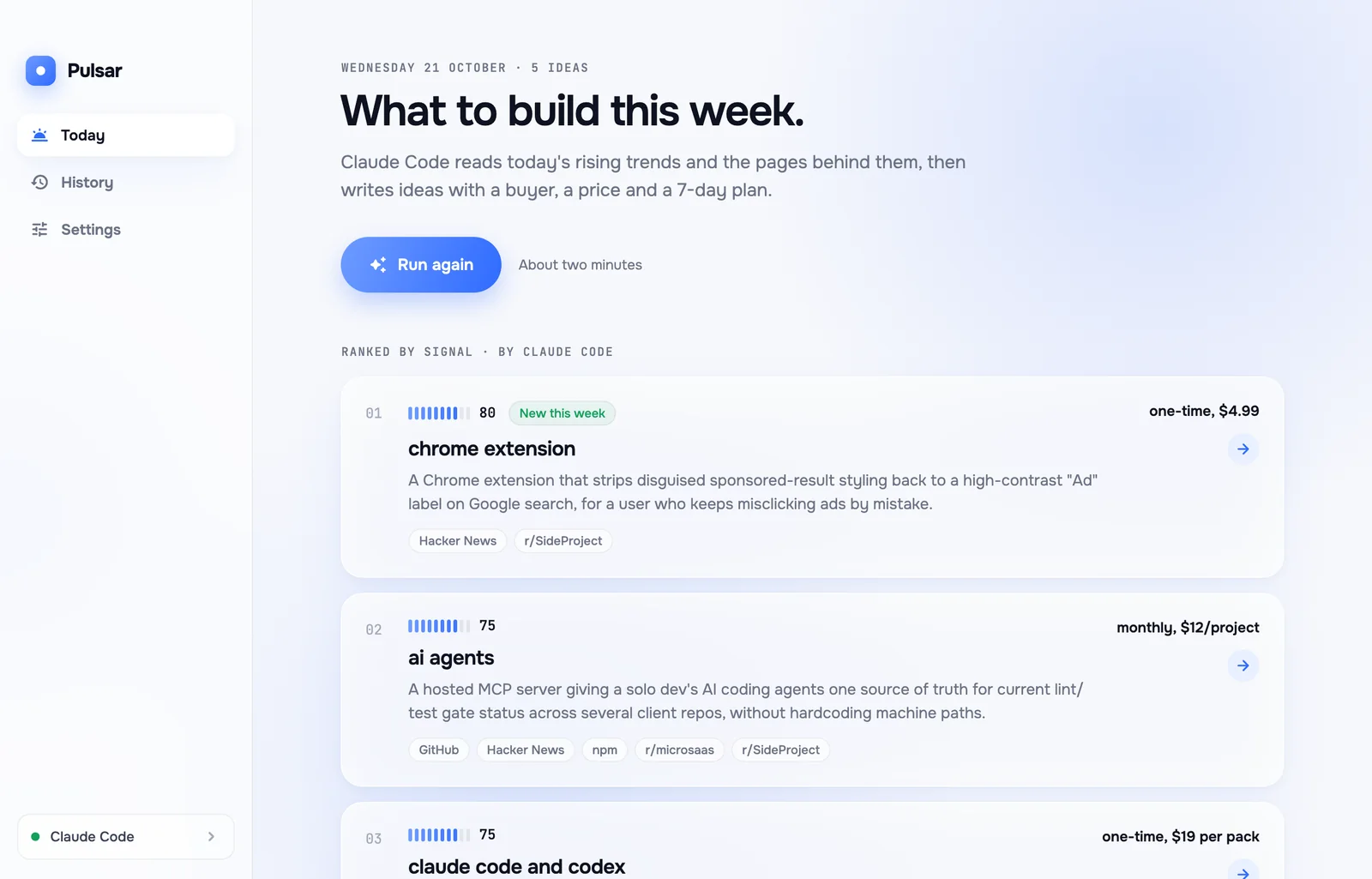
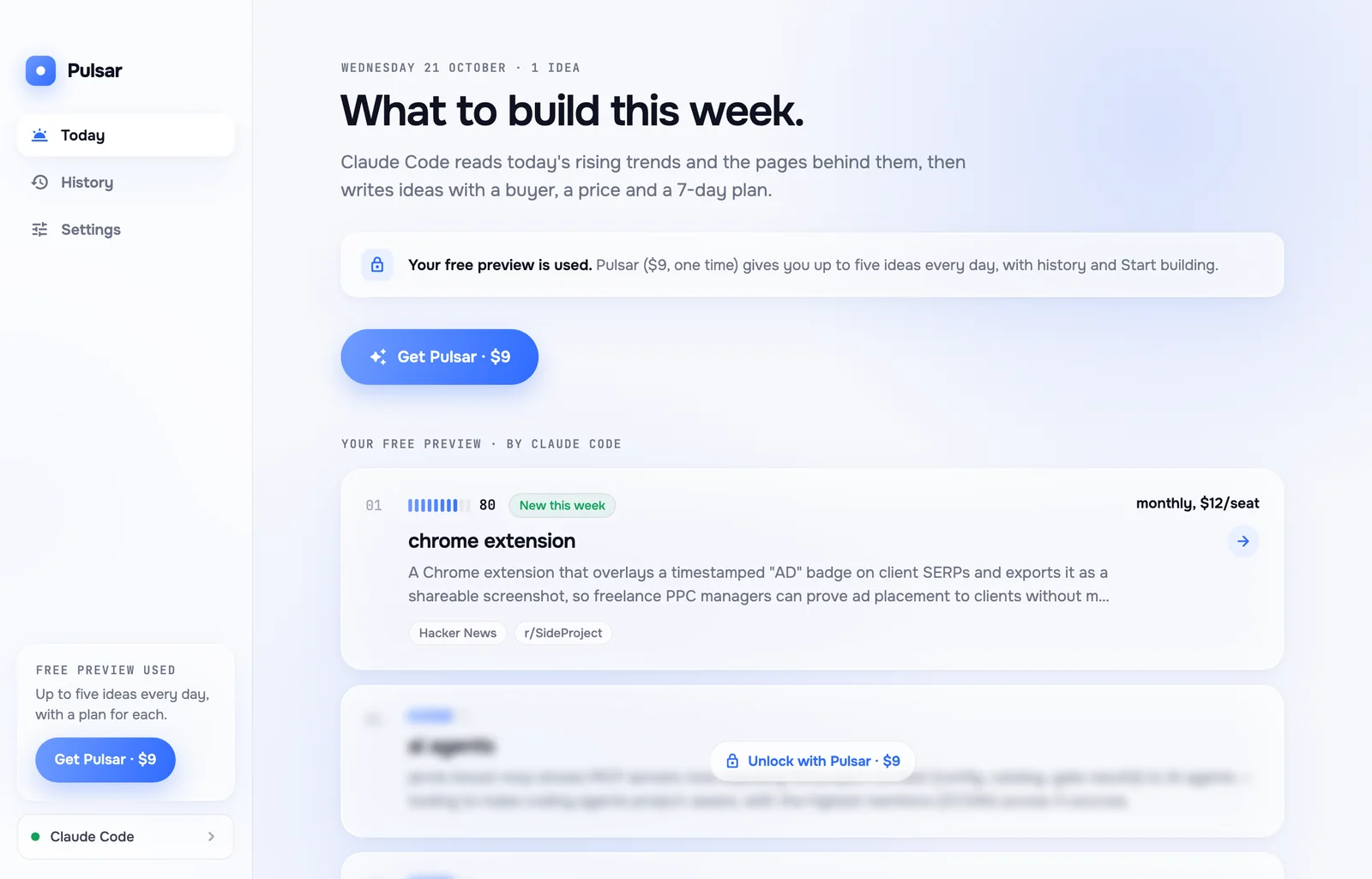
Real screen: one run on 21 October 2026, written by Claude Code.
Runs on the AI agent you already have
- Claude Code
- Codex
- Gemini CLI
- opencode
- Cursor Agent
- Qwen Code
- Copilot CLI
01 · The problem
You can build anything. Picking what is the hard part.
Lists are guesses
"50 SaaS ideas" posts don't say who pays or whether anyone is asking for it.
Trends arrive late
By the time an idea reaches your feed, plenty of people have already seen it.
Checking takes evenings
Reading Hacker News, GitHub, npm and Reddit yourself takes hours, every week.
02 · How it works
Three steps, one button.
- 1
Pulsar reads the builders
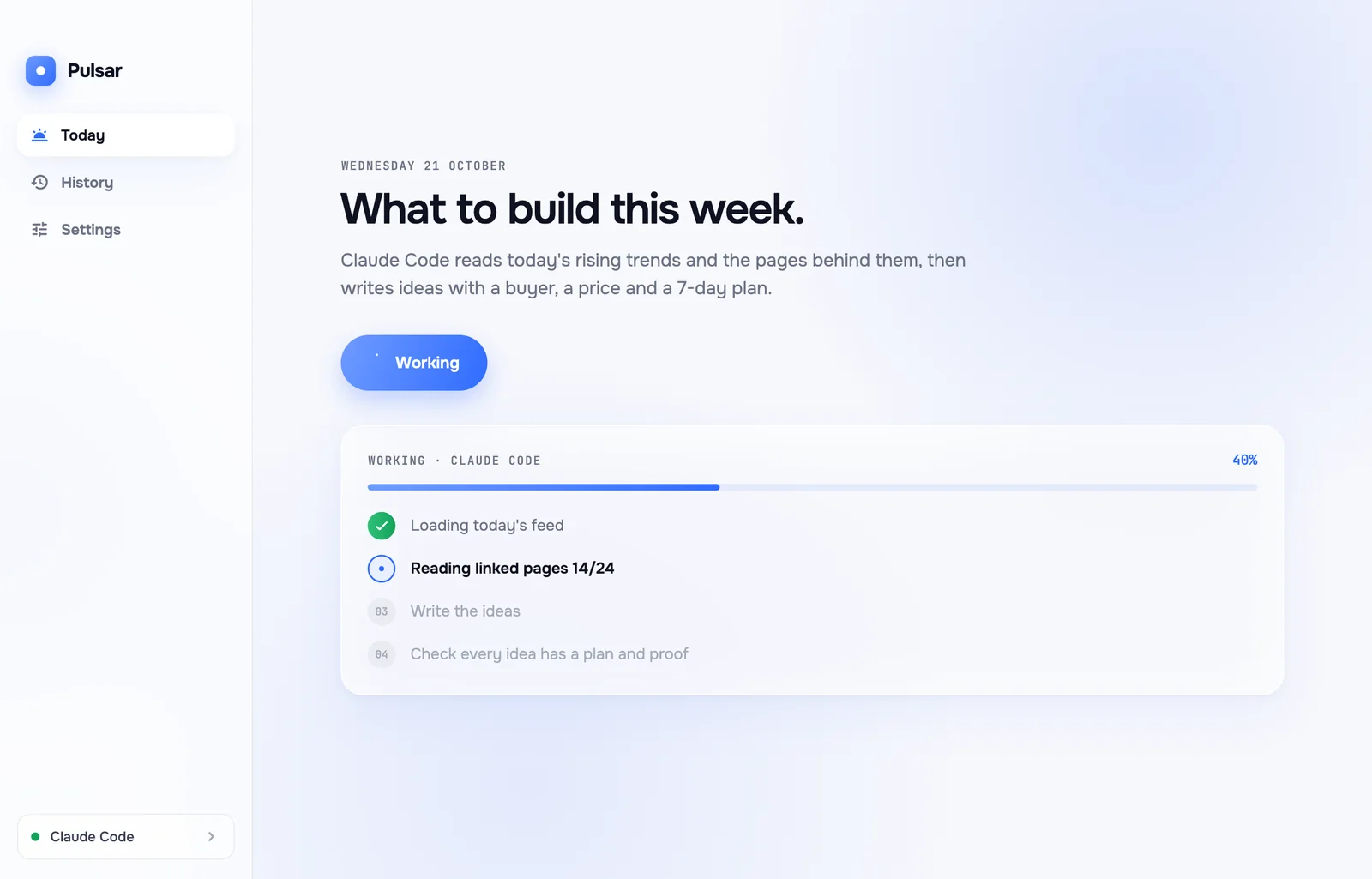
Every few hours it collects what is being shipped and asked for on Hacker News, GitHub, npm and Reddit, and the pages behind each link.
- 2
Your agent writes the ideas
Claude Code, Codex, opencode or another agent you already use turns it into ranked ideas. It takes about two minutes.
- 3
You pick one and start
Open an idea, read the case and the plan, and press Start building.
03 · Ranked by signal
The strongest ideas first, with where they came from.
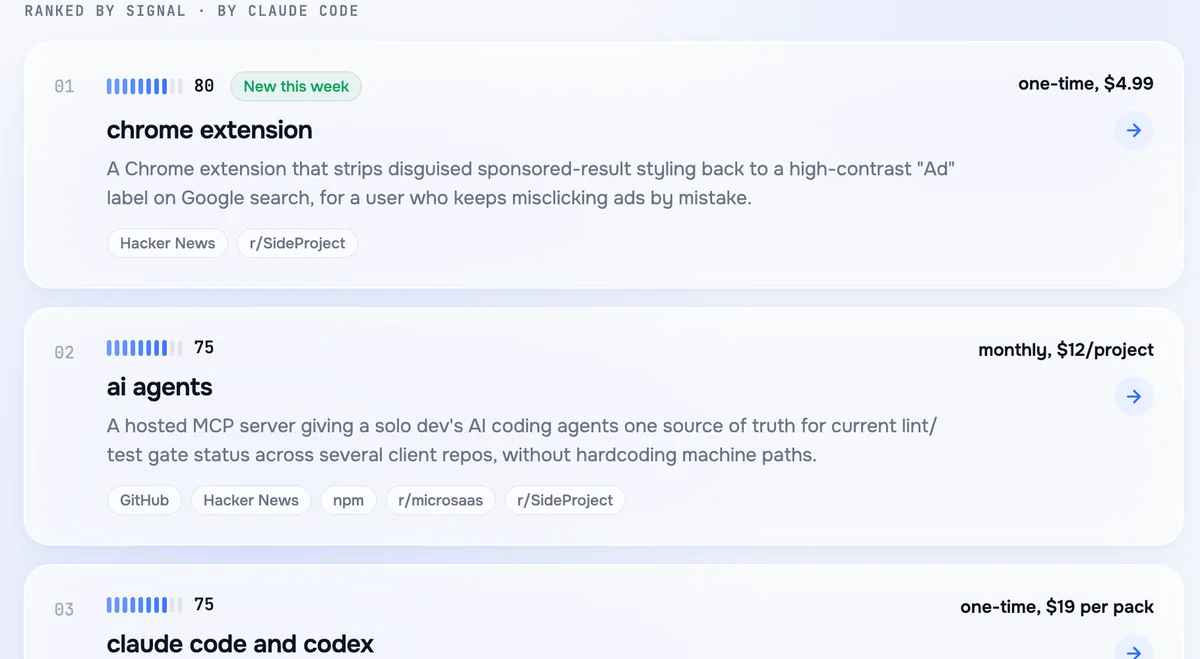
Each idea has a signal score from the feed, the places it showed up, and a tag when it is new this week. Trends that are only a buzzword with no buyer are skipped, and Pulsar tells you which ones.
- 01chrome extensionnew this week80
- 02ai agents75
- 03claude code and codex75
- 04react native75
- 05web appnew this week65
04 · The case and the plan
Who pays, what to charge, and what to build each day.
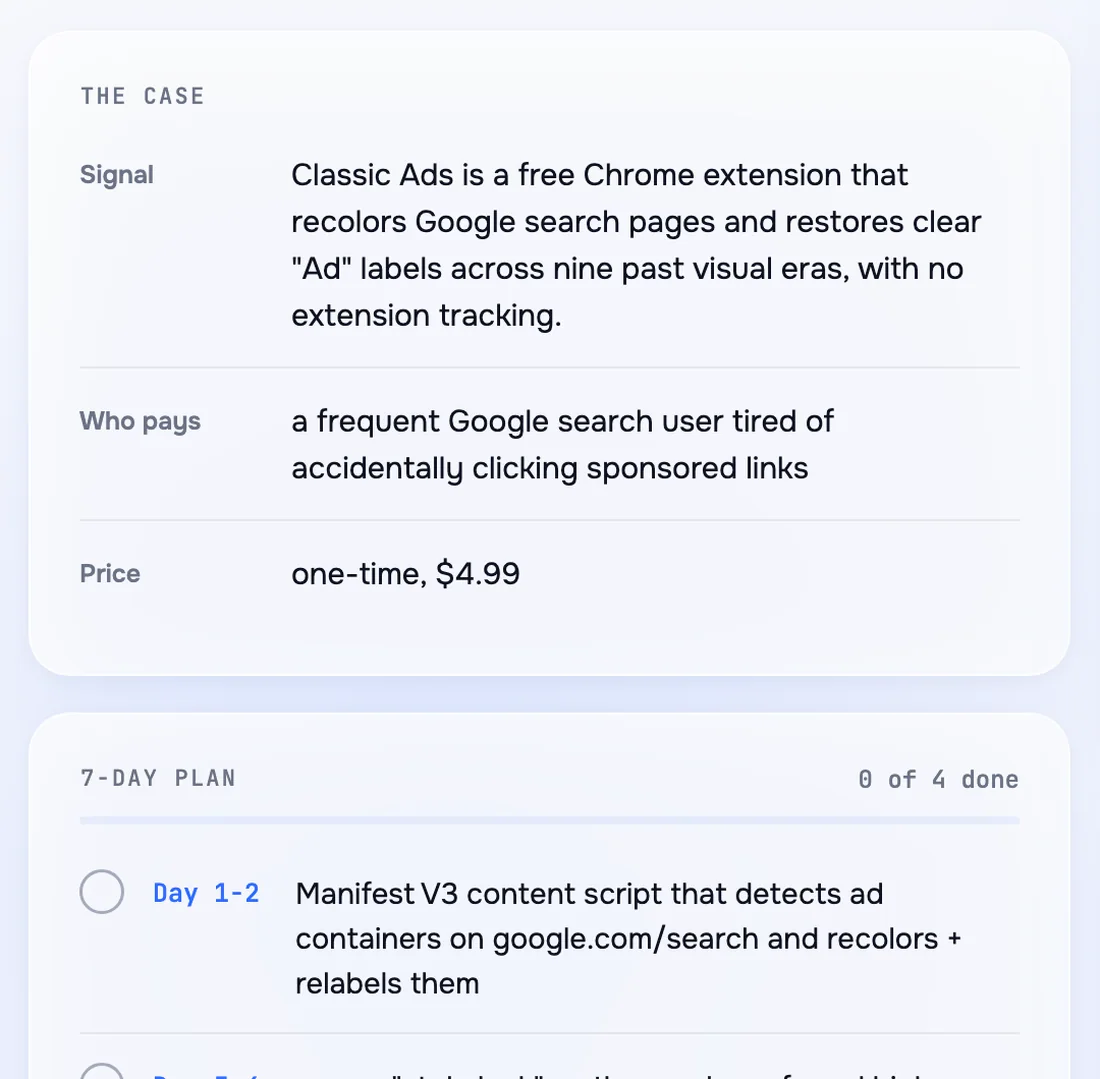
Every idea comes with the signal behind it, a specific buyer and a price, then a 7-day plan from the core feature to where to post it first. Tick days off as you go; Pulsar remembers.
05 · Start building
From idea to first prompt in one press.
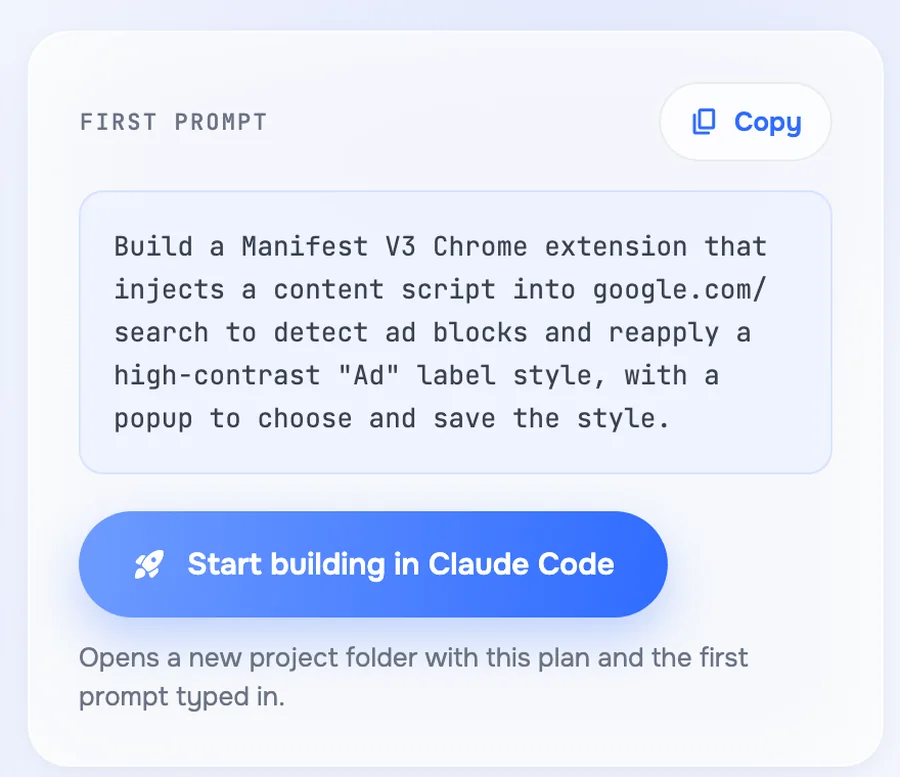
Copy the first prompt, or press Start building: your agent opens in a new project folder with the plan and the prompt already typed.
06 · What it touches
It reads the web. It never touches your projects.
Your agent, no new bill
Pulsar uses the agent you already pay for. No extra AI cost, no API key to add.
Your files stay untouched
Pulsar gathers all the text itself. The agent only reads it, in an empty folder, with its tools switched off.
Works with seven agents
Claude Code, Codex, Gemini CLI, opencode, Cursor Agent, Qwen Code and Copilot CLI. Switch any time.
07 · Try it first
See a full idea before you pay.
Every computer gets one free preview: one complete idea with its buyer, price, plan and proof. The next ideas stay locked until you get Pulsar.
08 · What it costs you now
An evening of tabs, every week. Or a month on the wrong idea.
Without Pulsar you either scroll Hacker News, GitHub and Reddit yourself, or you build the first idea that sounds good and find out later nobody pays for it. Pulsar is a one-time price for having that question answered every day.
09 · Price
One price. Yours to keep.
Pulsar · one-time
Paid once by UPI. No subscription.
- Up to five ranked ideas every day
- Buyer, price and 7-day plan for each
- Start building in your agent
- History of every day
10 · Questions
What people ask before buying.
What does Pulsar do?
Pulsar is a desktop app and CLI. Every few hours it reads what builders are shipping and asking for on Hacker News, GitHub, npm and Reddit. Your own AI agent turns that into ranked product ideas, each with who pays, a price, a 7-day build plan, proof links and a Start building button.
Which AI agents does it work with?
Claude Code, Codex, Gemini CLI, opencode, Cursor Agent, Qwen Code and Copilot CLI. Pulsar uses the agent you already have, so there is no extra AI cost.
What does the Start building button do?
It opens your agent in a new folder with the first prompt for that idea ready, so you can start the build straight from the idea.
Does it run on Windows?
Pulsar works on macOS today. The Windows build is coming.
How much does it cost?
You get one free preview per computer, then Pulsar is one payment: ₹799 by UPI in India, or $9 by PayPal from any other country. Card checkout opens soon.
What happens after I pay by UPI?
Tap Send screenshot on WhatsApp. It opens a chat with Shashwat, the maker, with a message ready; attach the payment screenshot. You get the app and your licence on WhatsApp, usually within a few hours.
What happens after I pay by PayPal?
Same as UPI: tap Send screenshot on WhatsApp and attach PayPal's receipt. You get the app and your licence on WhatsApp, usually within a few hours.
Why WhatsApp and not an automatic checkout?
Card checkout opens soon. Until then you pay the maker directly and talk to a real person: you have his number, he has yours, and if anything goes wrong you message him.